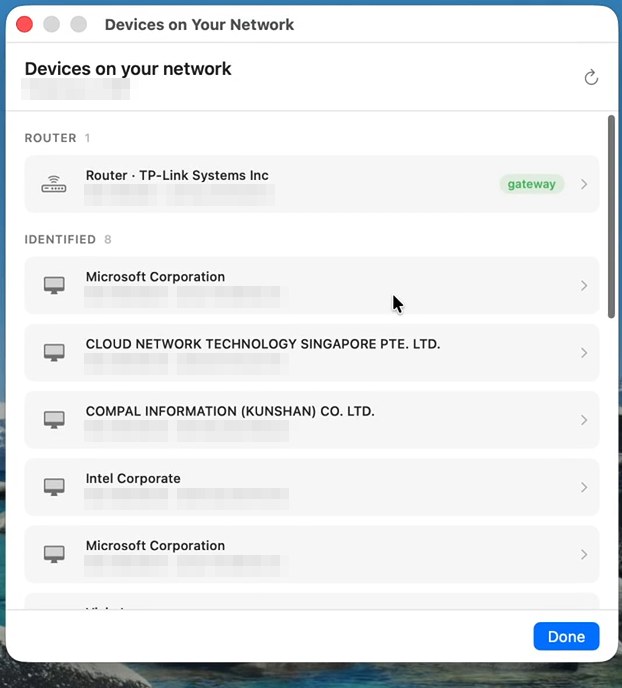
Real screenshot from the current release — addresses blurred. Click to zoom.
Mojo Pulse / Tools / Devices on your network
Devices on your networkYour network has a guest list, and you should get to read it. Pulse inventories every device it can see, identifies the maker behind each one, and tells you when someone new shows up.
Real screenshot from the current release — addresses blurred. Click to zoom.
Each device is identified by the manufacturer encoded in its hardware address — the smart TV, the thermostat, the mystery box that turns out to be the vacuum. Give devices your own names and Pulse remembers them per network.
Pulse baselines the devices it has seen on each of your networks. Turn on alerts and a newcomer raises a quiet card — useful at home, illuminating on a network you share with strangers.
The nastiest LAN attack is someone impersonating your router to sit in the middle of your traffic. If the gateway's hardware identity suddenly changes — the classic ARP-spoofing fingerprint — Pulse treats it as the serious event it is.
Devices on your network is one of eighteen tools in the free download. 9.5 MB, notarized by Apple.
Keep exploring: Network activity · What you broadcast · all 18 tools