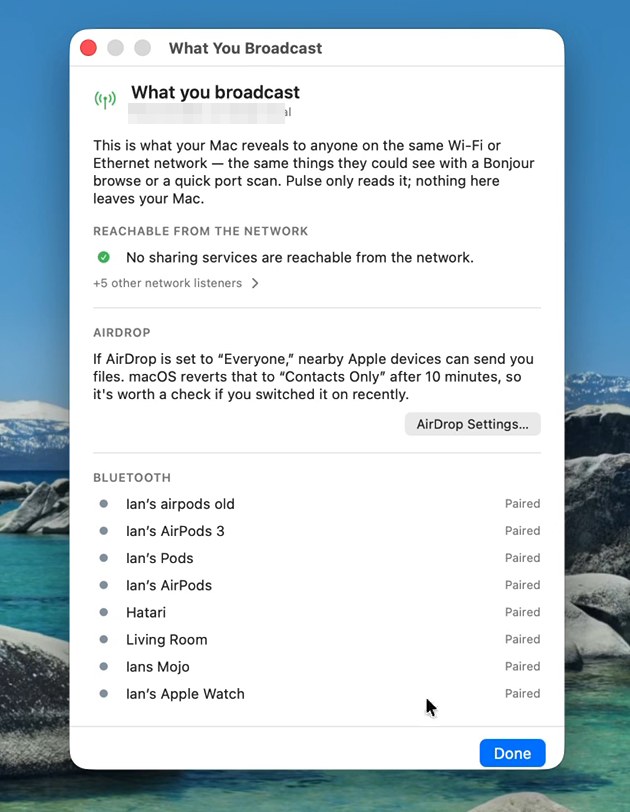
Real screenshot from the current release — addresses blurred. Click to zoom.
Mojo Pulse / Tools / What you broadcast
What you broadcastEveryone on the same Wi-Fi can learn things about your Mac with a browse and a quick scan. Pulse shows you that view — what you're revealing — so nothing on the list is a surprise.
Real screenshot from the current release — addresses blurred. Click to zoom.
The headline is the one you want green: whether any sharing service — files, screen, remote login — is reachable from the network at all. Below it, every listener the network can see, so “nothing to see here” is verified, not assumed.
AirDrop set to “Everyone” means nearby strangers can send you files. macOS quietly reverts it to Contacts Only after ten minutes, but if you flipped it recently, this is the reminder to flip it back.
Your paired Bluetooth accessories are part of your Mac's broadcast personality too. Seeing the list plainly — headphones, watches, the lot — is the first step to deciding whether you're comfortable with it.
What you broadcast is one of eighteen tools in the free download. 9.5 MB, notarized by Apple.
Keep exploring: Devices on your network · Open ports · all 18 tools