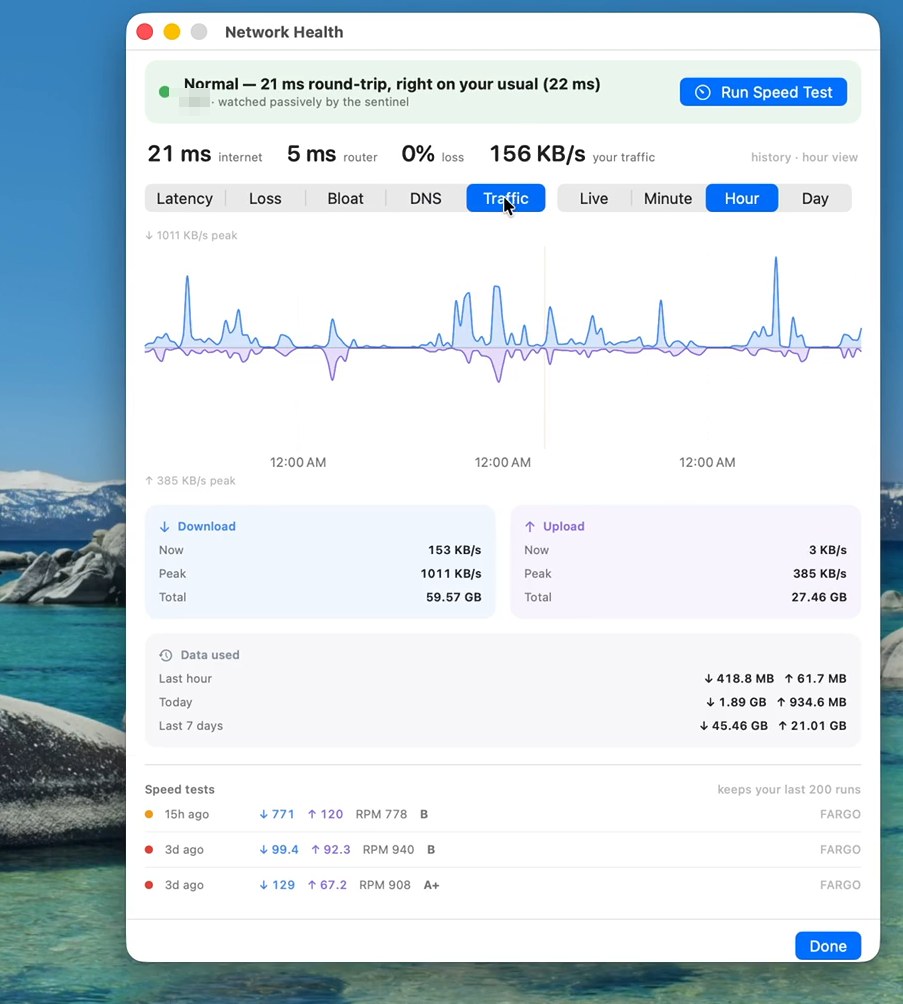
Real screenshot from the current release — network name blurred. Click to zoom.
Mojo Pulse / Tools / Network health
Network healthSpeed tests are snapshots. Network Health is the movie: a passive sentinel that learns what your connection normally feels like and speaks up when it stops feeling that way.
Real screenshot from the current release — network name blurred. Click to zoom.
Once a minute, Pulse sends a few tiny probes — to your router, and to well-known internet anchors — and checks DNS every few cycles. That's the whole trick: about 1–2 MB a day, invisible in your traffic, yet enough to catch latency creep, packet loss, and bufferbloat as they happen. It pauses itself on battery and during your speed tests, and tells you when it's paused instead of silently going dark.
Every network gets its own baseline — home fiber and hotel Wi‑Fi are different worlds, and Pulse never confuses them. Alerts fire on sustained change against your usual: latency at twice your baseline, loss above 2%, a router that suddenly takes three times longer to answer. Sustained means minutes, not blips — a microwave running for ten seconds doesn't page you.
Baseline-only tools learn a terrible cafe network as "normal" and then gaslight you about it. Pulse also judges against absolute floors: a network that runs at 300 ms with 5% loss is labeled "runs rough — normal for here", so you know it's the venue, not your Mac.
The Network tile carries a quality dot and your live round-trip time. Green and quiet means watched and fine. Amber means degraded — click through for the charts, where degradation events paint bands on the timeline and your recent speed tests line up underneath. When something looks off, "Run Speed Test" is one click away for the full diagnosis.
Network health is one of eighteen tools in the free download. 9.5 MB, notarized by Apple.
Keep exploring: Speed test · Security review · all 18 tools